Ac AutomationAc Automation systemcurtain automationEntrance AuromationEntrance automationEntrance automation Systemhome automationlightning automation company in mumbailightning automation systemlightning automation system in mumbaismart switchesSmartlifestackWashroom Automation
What is Difference Between Smart Home and Home Automation?
admin September 27, 2026 11 min read
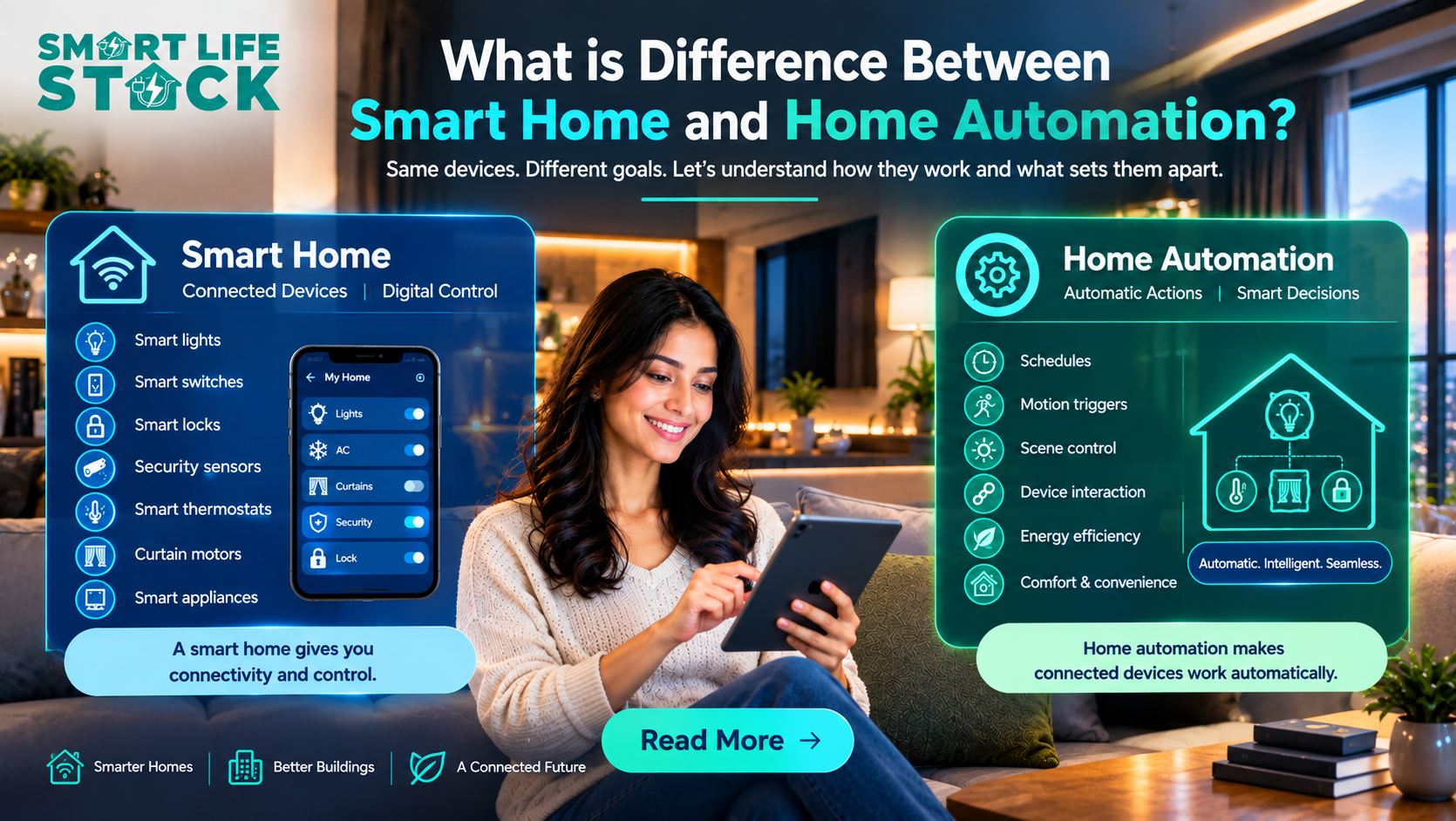
Smart home and home automation are closely related concepts, but they are not exactly the same. A smart home generally refers to connected devices that can be monitored or controlled digitally, while home automation focuses on making those devices work automatically according to predefined rules, schedules, sensors, or conditions.
For example, a smart light may allow you to control lights with your phone. Automation goes a step further: the light can turn on automatically when motion is detected, switch off after a set period, or become part of a larger scene.
The same principle can be applied beyond residential properties. Offices, hotels, healthcare facilities, and commercial buildings can use connected lighting, HVAC, access control, sensors, and other building automation technologies to improve control and operational efficiency.
What is a smart home?
A smart home is a property containing connected devices that can communicate with users, apps, controllers, or other devices.
Typical smart home devices include:
Smart lights
Home automation switches
Smart locks
Security sensors
Smart thermostats
Curtain motors
Smart appliances
Voice assistants
Motion sensors
Smart scene switches
For example, a smart door lock may allow an authorized user to lock or unlock a door through a smartphone.
Similarly, a smart lighting system may allow a user to change lighting without physically operating a conventional switch.
The key idea is connectivity and digital control.
Modern smart-home ecosystems increasingly focus on interoperability. For example, the Connectivity Standards Alliance describes Matter as an industry-unifying connectivity standard intended to improve compatibility between supported smart-home devices and ecosystems. Matter supports categories including lighting, door locks, HVAC controls, safety/security sensors, and window coverings.
efficiency.
What Is Home Automation?
Home automation means using technology to make devices perform actions automatically based on predefined conditions.
Instead of manually controlling every device, an automation system can respond to:
Time
Motion
Temperature
Door status
Occupancy
Light levels
User commands
Other connected devices
Simple Example
Consider a bedroom light.
Smart home approach:
Open an app → select bedroom → turn the light on.
Automated approach:
Motion detected after 7 PM → bedroom light turns on → no motion for a defined period → light turns off.
Both are smart technologies, but automation introduces an automatic decision or action.
Building automation standards also recognize the broader concept of automated control systems. IEC 63044 covers Home and Building Electronic Systems and Building Automation. and control systems, including control devices, automation stations, interfaces, cabling, and installation considerations.
Smart Home and Home Automation: What Is the Difference?
The simplest way to understand the difference is
A smart home gives you connected and digital control. Home automation makes connected devices perform actions automatically.
Smart Home vs. Home Automation: A Practical Example
Imagine a hospital corridor.
A connected lighting system can allow a facility manager to monitor or control selected lighting circuits digitally.
Automation can add another layer:
A motion sensor detects movement.
The controller receives the sensor input.
Corridor lighting changes according to programmed conditions.
Lighting returns to its normal state after the defined period.
This approach illustrates why smart home automation and building automation are often discussed together, even though the scale and requirements can be very different.
For hospitals, automation planning should also consider operational continuity, electrical infrastructure, maintenance access, and the building’s specific requirements.
How Does Home Automation Work?
A typical automation system has three basic components.
1. Input
Something triggers the automation.
Examples include:
Motion sensor
Temperature sensor
Door sensor
Time schedule
Smartphone command
Voice command
Occupancy information
2. Controller
A controller, hub, gateway, or automation platform processes the information and determines what should happen.
3. Output
The system performs an action.
Examples:
Turn lights on
Turn lights off
Adjust HVAC
Operate curtains
Lock a door
Send a notification
Activate another connected device
This input → logic → output model is one of the foundations of automated systems.
Where Can Smart Home Automation Be Used?
Although the phrase “smart home” is common, connected automation principles can be applied across different environments.
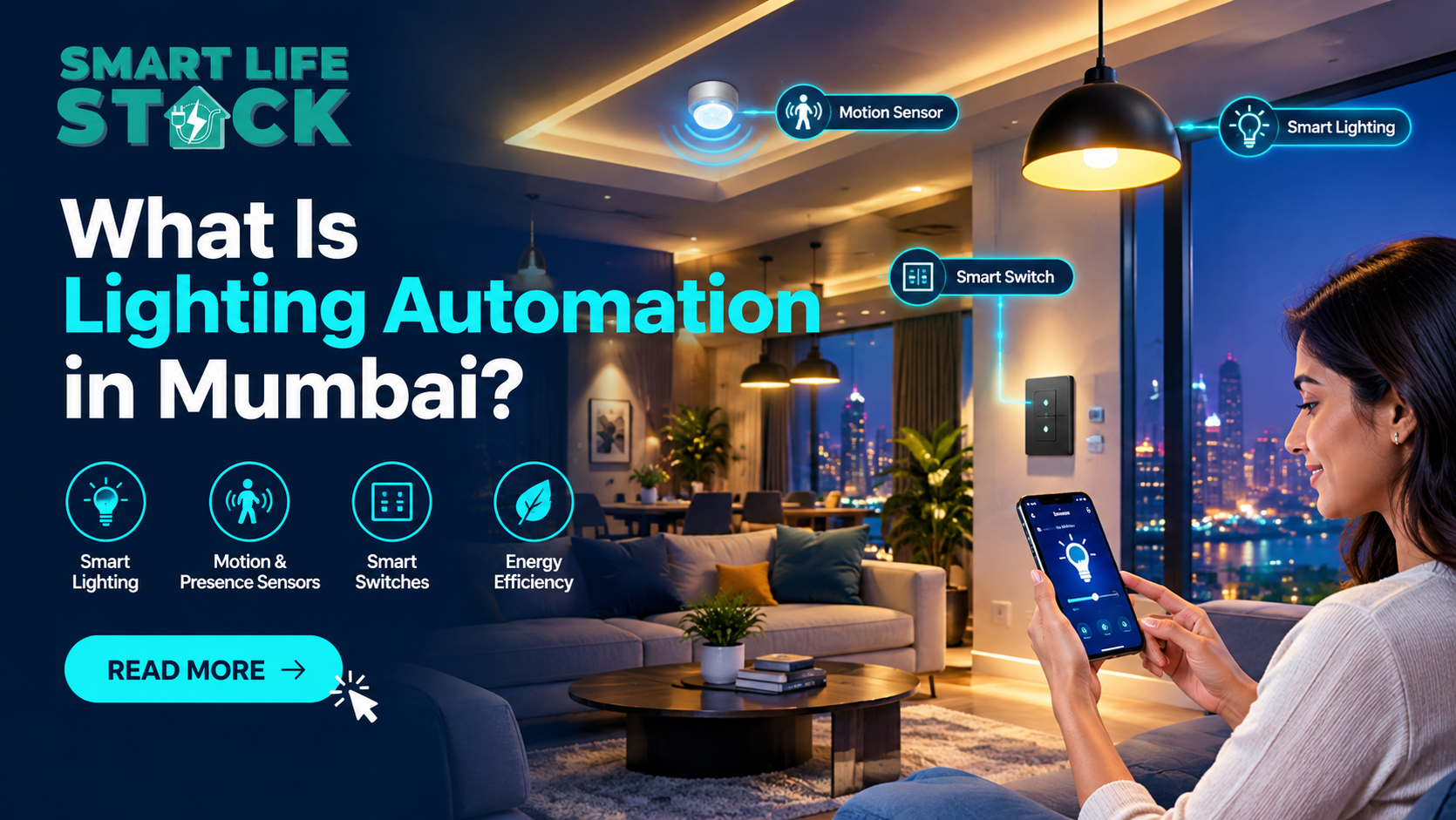
Lighting Automation
A lighting automation system can coordinate lights based on schedules, occupancy, scenes, or other conditions.
Examples include:
Automatic corridor lighting
Room occupancy lighting
Scheduled exterior lighting
Scene-based lighting
Central lighting control
Lighting and environmental control are established examples within home and building automation standards.
HVAC and AC Automation
HVAC automation can use temperature, schedules, occupancy information, or building-management logic to control environmental systems.
For a facility manager, this can provide centralized visibility and control rather than requiring individual manual adjustments.
Door Lock and Access Control
Connected smart lock systems can provide digital control of compatible doors.
However, commercial and healthcare facilities require more careful access-control planning than a typical residential smart lock installation.
A residential automatic door lock system for a home may be designed around convenience, whereas a healthcare facility may need access policies, monitoring, backup considerations, and integration with existing security infrastructure.
Curtain Automation
A curtain motor or automatic curtain system can allow curtains or shades to operate according to schedules, commands, or automation scenes.
In a commercial environment, automated shades can also become part of a broader building-control strategy.
Sensors
Sensors are often the link between the physical environment and an automation system.
Examples include:
Office motion sensor
Office motion detector
Door sensor
Temperature sensor
Occupancy sensor
Light-level sensor
What Are the Benefits of Smart Home Automation?
The benefits depend on the application, system design, and quality of implementation.
Convenience
Users can control multiple devices from a common interface instead of operating every device separately.
Centralized Control
A properly designed system can bring multiple functions together, such as lighting, HVAC, access, and selected sensors.
Automation
Routine actions can be performed automatically based on schedules or sensor conditions.
Scalability
A system can potentially start with one function, such as lighting automation, and later expand into other areas.
Operational Visibility
For facility managers, centralized monitoring can make it easier to understand the status of connected systems.
Integrated controls can also coordinate different building systems. Research from the U.S. Department of Energy has examined integrated control of HVAC, lighting, and plug loads as a way to improve building control and respond more precisely to occupant needs.
Smart Home Automation for Hospitals and Commercial Buildings
For the target audience in this brief, hospital owners, administrators, facility managers, procurement teams, architects, and healthcare developers,the terminology needs some clarification.
A hospital is not simply a large smart home.
Healthcare facilities have different operational requirements, and automation should be planned around the building’s actual infrastructure and use cases.
Possible applications include:
Lighting control
HVAC monitoring and control
Occupancy sensing
Energy monitoring
Access-control integration
Automated doors
Staff-area automation
Facility notifications
Environmental monitoring
Centralized building controls
The objective should not be to install the maximum number of connected devices. Instead, the system should solve specific operational problems.
Example: Hospital Facility Automation
Suppose a hospital wants better control over lighting in administrative and common areas.
The facility team can then establish rules for appropriate areas and operating schedules.
For critical environments, however, automation decisions should be reviewed against the facility’s electrical, safety, clinical, and operational requirements.
Wireless systems can use technologies such as Wi-Fi, Thread, Zigbee, or other supported protocols.
They can be useful when:
Retrofitting an existing property
Minimizing new wiring
Expanding room by room
Connecting compatible devices
However, network design and device compatibility remain important.
Wired Automation
Wired systems can be suitable when automation is planned during construction or major renovation.
Potential advantages include:
Dedicated infrastructure
Centralized system design
Predictable installation architecture
Integration with building systems
IEC standards for home and building automation address areas such as electrical safety, functional safety, environmental conditions, EMC, installation, cabling, and network topologies.
Can Home Automation Work Without the Internet?
Yes, depending on the architecture and products selected.
Offline home automation generally means that some automation functions can continue locally without requiring an external cloud connection.
However, “works without internet” does not automatically mean “works without a network.”
For example, devices may still communicate through a local network, hub, or automation controller.
When evaluating a system, ask:
Which functions work locally?
What happens if internet access fails?
Does the system depend on a cloud service?
Can local automation continue?
What happens during a power failure?
Is there a backup or manual-control method?
Matter, for example, is designed around local connectivity technologies, including Wi-Fi, Thread, and Ethernet, although the exact behavior of a particular product depends on its implementation and ecosystem.
What Should You Consider Before Installing Home Automation?
Not every smart device works with every ecosystem.
Check:
Communication protocol
Controller compatibility
Electrical requirements
Software compatibility
Existing infrastructure
3. Plan for Expansion
If you expect to add more devices later, choose an architecture that can scale.
4. Consider Local Operation
For important building functions, understand what happens when cloud services, internet connectivity, or individual devices become unavailable.
5. Evaluate Installation and Support
The quality of home automation installation can influence long-term reliability.
For hospitals and commercial properties, also consider:
Maintenance procedures
Service support
Documentation
Backup arrangements
Procurement requirements
System integration
Training for facility teams
Smart Home vs. Home Automation: Which One Do You Need?
There is no universal answer because the two concepts solve slightly different needs.
Choose connected smart devices when your priority is
Smartphone control
Remote monitoring
Voice control
Connected devices
Digital access
Choose automation when your priority is:
Automatic routines
Sensor-based actions
Scheduled operation
Device-to-device interaction
Reduced manual intervention
For many modern projects, the practical answer is a combination of both: smart home and home automation working together.
Key Takeaways
A smart home primarily focuses on connected devices and digital control.
Home automation adds rules, schedules, sensors, and automatic actions.
A smart device does not automatically mean the entire property is automated.
Lighting, HVAC, locks, curtains, and sensors can all become part of an automation ecosystem.
Wireless systems can be useful for retrofits, while wired systems may suit new construction or larger integrated projects.
Offline/local operation should be evaluated before selecting an automation architecture.
Hospitals require a more structured approach than typical residential installations.
Compatibility, reliability, maintenance, and support should be considered alongside device features.
Standards such as IEC 63044 address requirements relevant to home and building automation systems.
Conclusion
The difference between smart home and home automation becomes clearer when you look at what the technology actually does.
A smart device gives you connectivity and digital control. Automation adds intelligence through predefined rules, schedules, sensors, and interactions between devices.
For a homeowner, this could mean automated lights, curtains, AC control, or smart locks. For a hospital or commercial facility, the same underlying principles can be applied at a larger scale to appropriate lighting, HVAC, access, sensing, and facility-management functions.
For SmartLifeStack, the important approach is to design automation around the property’s actual requirements rather than simply adding more connected devices. A well-planned home automation solution should be compatible, scalable, understandable, and practical to maintain.
Frequently Asked Questions
1. What is the difference between smart home and home automation?
A smart home uses connected devices that can be digitally controlled or monitored. Home automation makes those devices perform actions automatically based on schedules, sensors, conditions, or predefined rules.
2. Is a smart home the same as an automated home?
No. They overlap, but they are not identical. A smart home can provide connected control, while an automated home uses logic and triggers to perform actions without requiring constant manual input.
3. What are examples of home automation?
Common examples include automatic lighting, scheduled AC control, motion-triggered lights, automated curtains, smart locks, occupancy sensing, and scenes that operate several compatible devices together.
4. Can smart home automation work without Wi-Fi?
Some systems can provide local automation through other communication technologies or a local controller. However, the exact capabilities depend on the devices and system architecture. Always check what continues to work when internet connectivity is unavailable.
5. What devices are commonly used in home automation?
Common devices include smart switches, lighting controllers, motion sensors, door sensors, smart locks, curtain motors, HVAC controllers, gateways, hubs, and compatible user-control interfaces.
6. Is home automation suitable for hospitals?
Yes, automation technologies can be used in healthcare facilities for appropriate building and facility-management applications. However, hospital projects have different safety, reliability, operational, and infrastructure requirements, so the system should be professionally planned around the specific facility.
7. What is IoT home automation?
IoT home automation uses connected devices that communicate through networks and automation platforms. For example, a motion sensor can provide information to an automation controller, which can then trigger a compatible lighting system.
8. How much does a home automation system cost?
There is no single price.Home automation system costdepends on the number of devices, wiring, communication architecture, controllers, installation complexity, integrations, and the level of automation required.
Tags:home automationhome automation in mumbaihome automation systemSmart home technologySmartlifestack